

Important Note: Only Malaysian citizens are allowed to perform self-registration.
Download Vibe Mobile App. Open the app and click "Activate SIM" at the Home Screen.
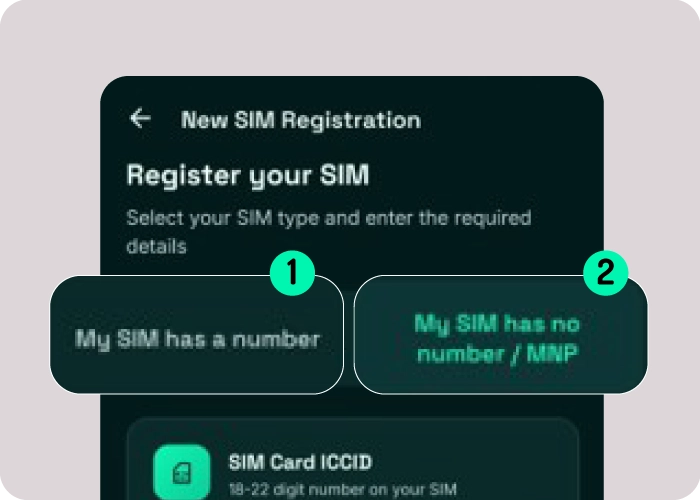
Select "My SIM has no number / MNP" as displayed in the image above (No.2).
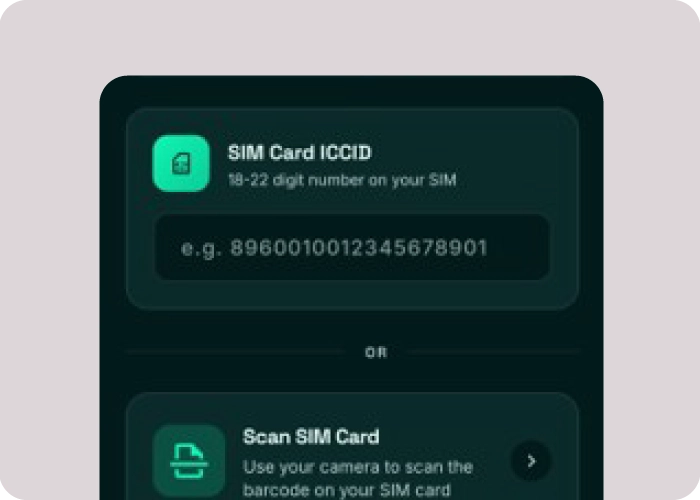
Enter the SIM card's serial number that displayed under the barcode of the SIM. You can also scan the barcode directly using your phone's camera.
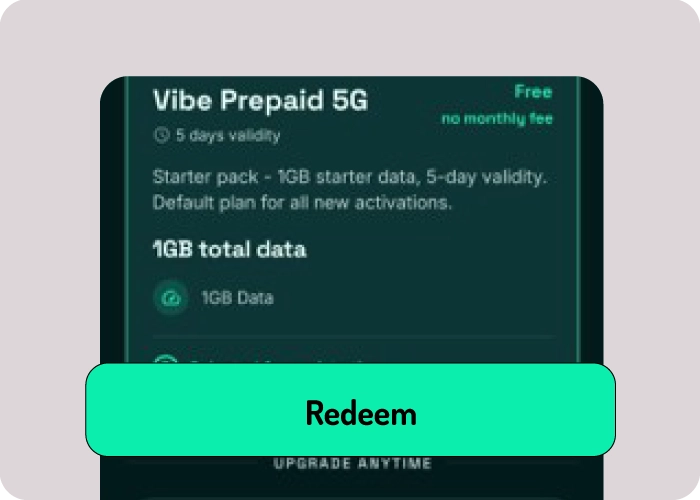
Click "Continue with Starter Plan" to proceed for activation.
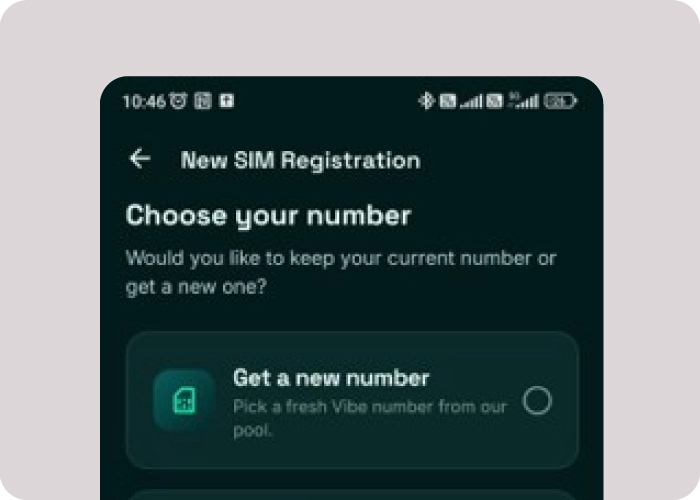
Choose "Get a new number" if you would like to get a new number. Or choose "Keep my number (port-in) if you would like to MNP your existing number from your current operator to Vibe Mobile.
Follow the instruction to choose a new number or port-in your existing number. Complete the eKYC process via MyDigital ID.
Orders placed before 12:00 PM will be shipped out on the same working day. Orders placed after 12:00 PM will be shipped out on the next working day.
Delivery time may vary depending on your location and the courier service.
Getting your Vibe Mobile eSIM is quick and easy! 📱
Simply download the Vibe Mobile app and complete your registration through the app. Once your registration is successful, your eSIM can be activated instantly.
Your eSIM QR code will be sent directly to your registered email address, so you can easily set it up on your device.


For foreign customers, self-registration through the Vibe Mobile app is not available.
In accordance with MCMC prepaid SIM registration requirements, foreign customers are required to complete their SIM registration through an authorized Vibe Mobile dealer.
Please visit your nearest authorized Vibe Mobile dealer with your valid passport. Our dealer will assist you with the SIM registration and activation process.
Activation Eligibility:
SIM activation is subject to successful identity verification and applicable registration requirements. Please ensure your passport is valid and that the information provided during registration is accurate and complete.
Yes. Malaysian customers are required to verify their identity using MyDigital ID when performing SIM self-registration through the Vibe Mobile app, in accordance with the applicable MCMC mandatory standards for prepaid SIM registration.
Before starting your registration, please ensure you have an active MyDigital ID account ready for verification.
Tip: If you haven’t registered for MyDigital ID yet, we recommend setting up your account first before proceeding with Vibe Mobile SIM self-registration.
No worries! You can register for a MyDigital ID online by following the step-by-step registration guide here.
Once your MyDigital ID is successfully set up, you can proceed with SIM self-registration through the Vibe Mobile app.
If you’re unable to register for MyDigital ID or need assistance with your SIM registration, simply visit one of our authorized Vibe Mobile dealers and our team will be happy to assist you.
Having trouble activating your Vibe Mobile SIM? Don’t worry — our Customer Support team is ready to assist you.
You can reach us through either of the following channels:
Email: [email protected]
WhatsApp: +6011 783 783 78
Your redemption code is used to redeem the Vibe Mobile plan that you have purchased.
After activating your SIM:
Important: Please activate your SIM card before redeeming your plan.
For step by step detailed guide, please view the PDF guide below.

Need help? Contact our Customer Support team and we’ll be happy to assist.
Once your SIM card has been shipped, we’ll send a shipping confirmation email to your registered email address.
📦 Simply click the tracking link in the email to check your latest delivery status.
Tip: Can’t find the email? Please check your Spam or Junk folder. If you still can’t locate it, contact our Customer Support team for assistance.